AstroSafe Launch Kit
Everything needed to publish AstroSafe consistently: posts, headers, profile assets and approved copy.
01 · Square posts
Square social posts
Every approved post in one place, ready to download as a 1200×1200 PNG.
01 · Brand reveal
1:1 · 1080×1080We're AstroSafe.
The safety stack behind kid-safe AI.
We're AstroSafe.
02 · Aegis launch
1:1 · 1080×1080The model that makes any model kid-safe.
Aegis is open.
The model that makes any model kid-safe.
03 · For corporates
1:1 · 1080×1080Built for corporates shipping AI for kids.
Toymakers · Telcos · Streamers · EdTech.
Built for corporates shipping AI for kids.
04 · The receipts
1:1 · 1080×10801M+ downloads. 500K+ devices. 2M+ families.
Years of shipping kid-safe AI, opened up.
1M+ downloads. 500K+ devices. 2M+ families.
05 · Any model
1:1 · 1080×1080GPT. Claude. Gemini. Llama. Kid-safe.
Aegis wraps them all.
GPT. Claude. Gemini. Llama. Kid-safe.
06 · Ship faster
1:1 · 1080×1080Days, not quarters.
Ship kid-safe AI features at corporate speed.
Days, not quarters.
07 · Magic + safety
1:1 · 1080×1080Magical for kids. Trusted by parents.
You shouldn't have to choose.
Magical for kids. Trusted by parents.
08 · White-label stack
1:1 · 1080×1080Skip the year of plumbing.
Parent portal · Moderation · Age systems.
Skip the year of plumbing.
09 · Invite
1:1 · 1080×1080Your AI for kids, safer overnight.
Corporates, partners, studios - talk to us.
[[Your AI for kids,]] safer overnight.
10 · Aegis 2.0 · Coming soon
1:1 · 1080×1080Aegis 2.0. The model that makes all AI models kid-safe.
[[Aegis 2.0.]] The model that makes all AI models kid-safe.
11 · Model Benchmark · Coming soon
1:1 · 1080×1080The Model Benchmark. Every frontier and open source AI model, ranked on child safety.
The [[Model Benchmark.]] Every frontier and open source AI model, ranked on child safety.
12 · App Benchmark · Coming soon
1:1 · 1080×1080














The App Benchmark. The AI apps kids use every day, ranked on safety.
The [[App Benchmark.]] The AI apps kids use every day, ranked on safety.
13 · AstroSafe · Coming soon
1:1 · 1080×1080New tools, new look, same mission. Kid-safe AI.
New tools, new look, same mission. [[Kid-safe AI.]]
14 · Why we exist
1:1 · 1080×1080
AI is changing childhood. Safety has to move faster.
AI is changing childhood. [[Safety has to move faster.]]
15 · AI ambition to reality
1:1 · 1080×1080
Go from AI ambition to AI reality.
Go from [[AI ambition]] to AI reality.
16 · Case study · Safe Browser
1:1 · 1080×1080
1M+downloads in year one
Making the internet kid-safe and AI-powered.
Making the internet kid-safe and AI-powered.
17 · Case study · DIY.Org
1:1 · 1080×10801Mmonthly active users
Vibe coding for kids, powered by AI.
Vibe coding for kids, powered by AI.
18 · Case study · Moonbug
1:1 · 1080×1080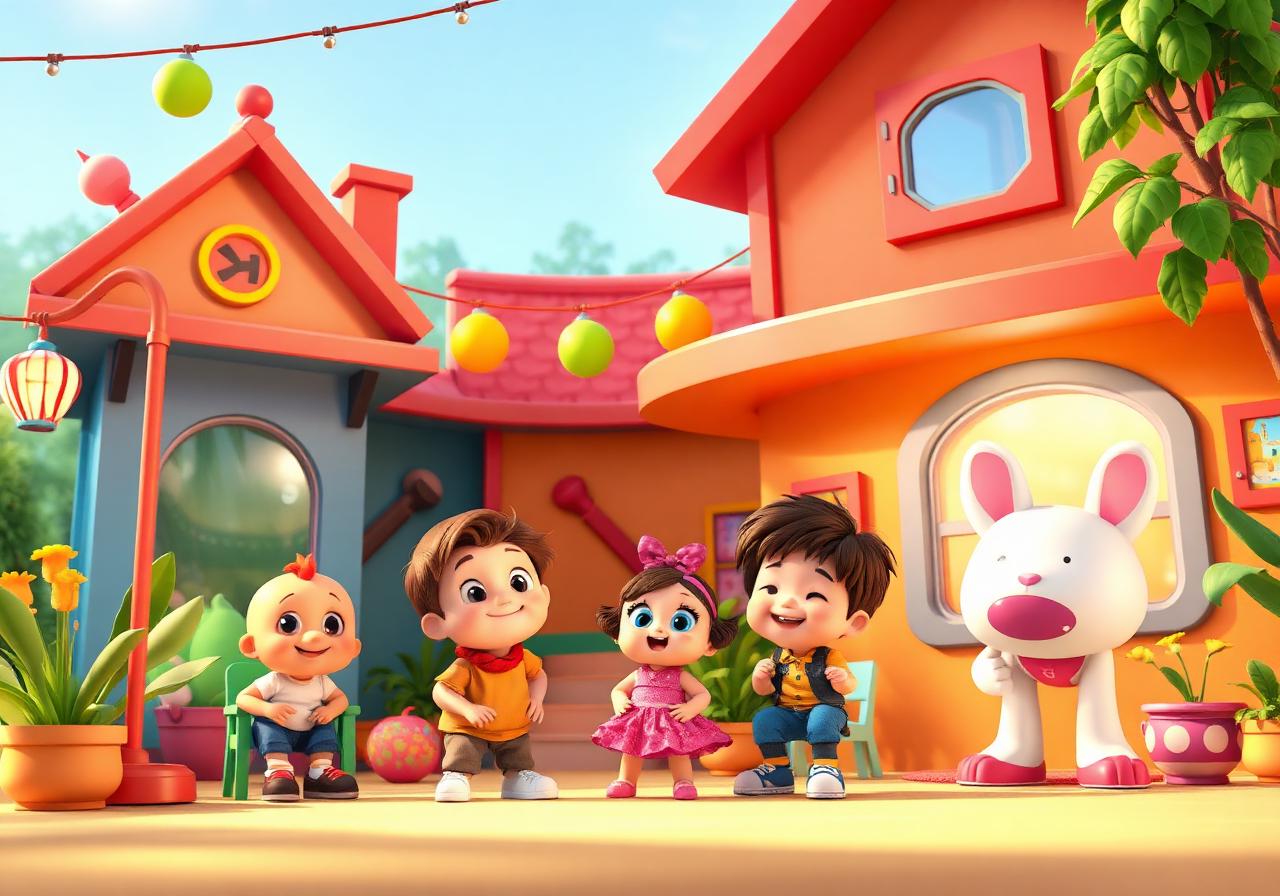
Vision-firstlearning interactions
Turning the camera into a learning interface.
Turning the camera into a learning interface.
19 · Case study · Lenovo
1:1 · 1080×1080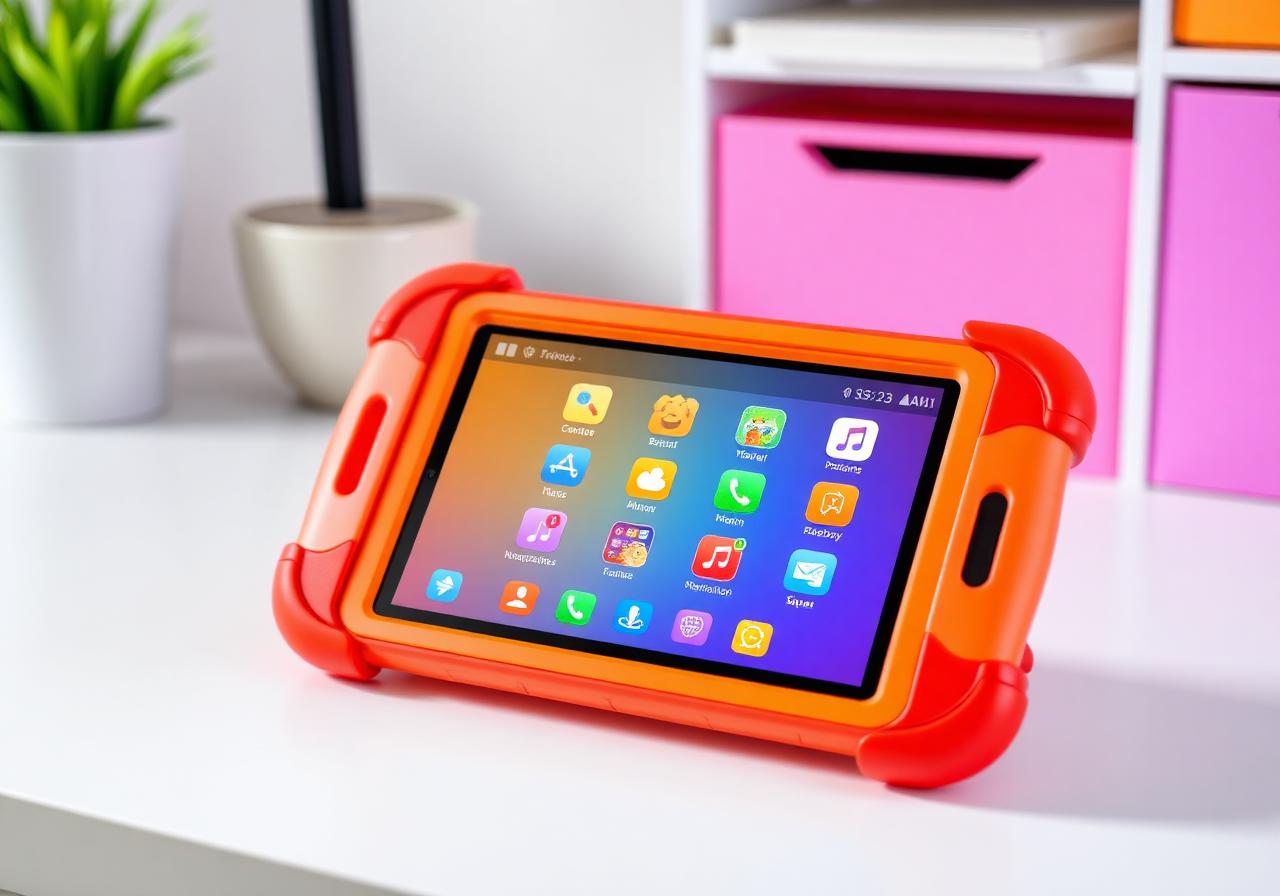
2M+students reached
Safe AI search for Italy's classrooms.
Safe AI search for Italy's classrooms.
20 · Case study · Troomi
1:1 · 1080×1080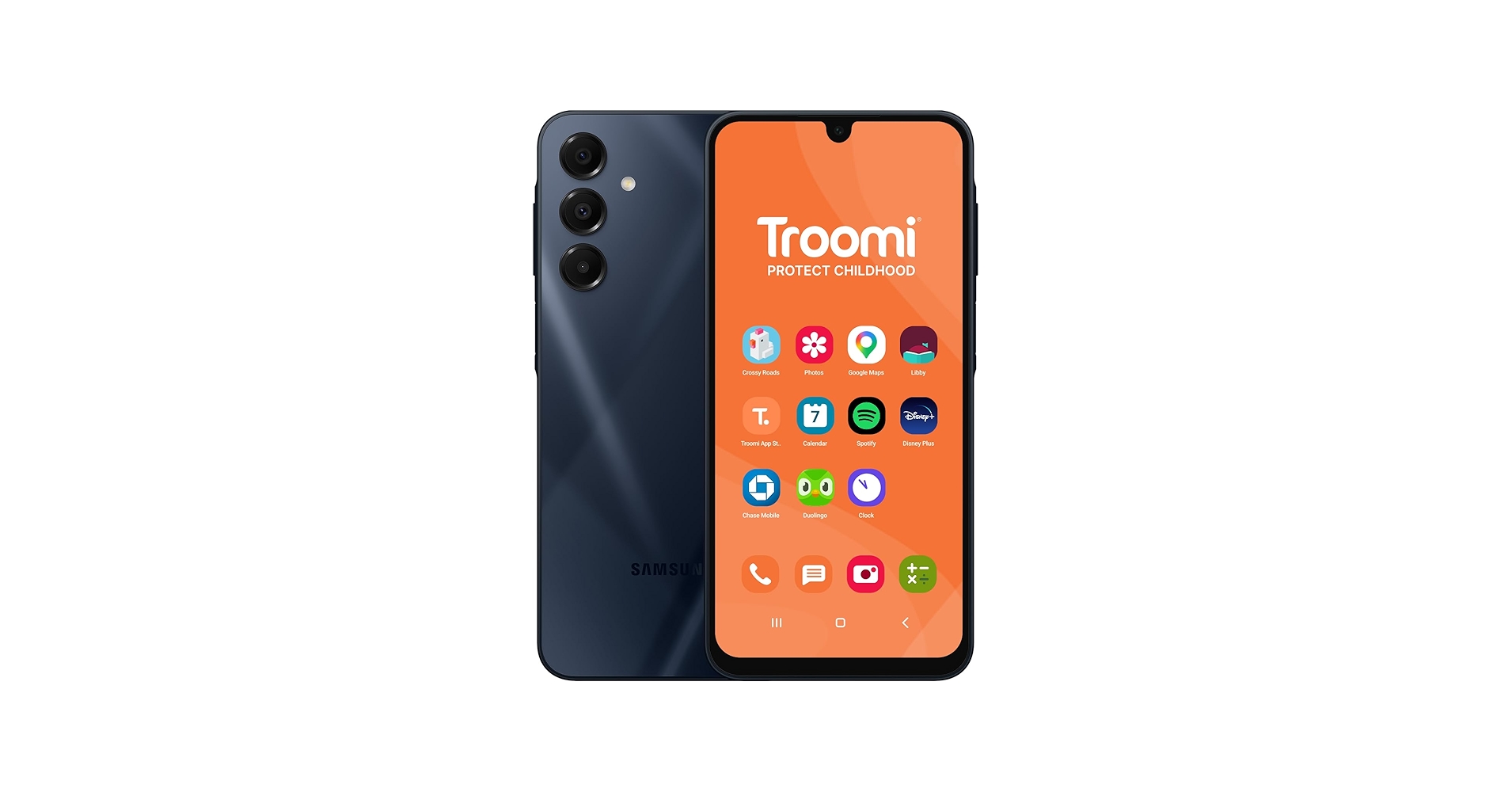
4 mofrom kickoff to launch
A kid-safe browser, shipped in 4 months.
A kid-safe browser, shipped in 4 months.
Exported at 1200×1200 PNG - LinkedIn's recommended square feed image size. Upload directly without resizing.
03 · Profile assets
Mascot & profile icons
Square, circular, transparent and monochrome PNGs for social profiles, plus a favicon.
White square
Black square
Transparent PNG
Monochrome black
Monochrome white
Favicon
02 · Carousel series
Social carousel series
Multi-post stories for LinkedIn and Instagram. Download every square slide as PNG, or the complete series as a presentation PDF.
Product · 5 slides
Aegis · Six jobs, one call
What Aegis does and how easily it integrates.
Six safety jobs. One API call.
The model that makes any model kid-safe.
Age-aware moderation
Tone, topic and reading-level checks tuned to ages 5–7, 8–11 and 12–15.
Filter. Score. Rewrite.
Aegis soft-rewrites unsafe outputs into kid-friendly language instead of stopping the experience with blunt refusals.
Any model. One SDK.
OpenAI, Anthropic, Gemini, Llama, Mistral or your own fine-tune.
Audit-ready by default.
Audit logs, data residency and parent consent flows built in for COPPA, GDPR-K and EU AI Act readiness.
Engagement · 4 slides
AI ambition to AI reality
The six ways AstroSafe works with ambitious kids' brands.
Go from AI ambition to AI reality.
3 ways we can help your team move safely and quickly.
Custom AI solutions for kid-tech companies.
From custom models to bespoke integrations - designed, engineered and shipped end-to-end on infrastructure built for kids.
Meet Aegis: making every model kid-safe.
Aegis adds age-aware moderation, soft-rewrites and audit logs in front of any LLM - one API call, no retraining.
Ready-built kid-safe AI products and apps.
White-label our browser, search, study agent and chat - live in your product in weeks, under your brand.
Benchmark · 4 slides
The Model Benchmark
Why it exists, what it measures and how scores stay honest.
Which AI models are safest for children?
The independent benchmark for frontier and open-source models.
Adult benchmarks miss childhood.
We test the moments children actually encounter,across safety, privacy, honesty and age-aware tone.
1,840 kid-specific scenarios.
Six principles behind every score.
Benchmark · 4 slides
The App Benchmark
How consumer AI apps are evaluated for child safety.
How safe are the AI apps kids use every day?
Independent child-safety scores for consumer AI apps.
An app is more than its model.
Age gates, dark patterns, moderation and parental controls shape the real experience a child receives.
The whole product experience.
Open, reproducible, current.
Case study · 5 slides
Safe Browser
Safe Browser: problem, engagement, work and result.
Making the internet kid-safe and AI-powered.
We designed and built a safer internet experience for children, combining protected browsing with age-appropriate AI search, answers and discovery.
Children needed a safer way to explore the open internet and benefit from AI,without being exposed to adult content, unfiltered answers or invasive data practices.
Design & dev
A focused product strategy, design, engineering, safety architecture engagement, working alongside the Safe Browser team.
Combined kid-safe browsing with age-appropriate AI search and answers.
1M+
downloads in year 1
Case study · 5 slides
DIY.Org
DIY.Org: problem, engagement, work and result.
Vibe Coding for kids, powered by AI.
We embedded with DIY.Org to ship an AI-powered creative coding playground where kids prompt their way to working apps - with safety guardrails baked in.
DIY.Org wanted to let kids build real software from natural language - without exposing them to the chaos of a general-purpose AI coding agent.
Embedded team
A focused embedded team, design, ai engineering engagement, working alongside the DIY.Org team.
Embedded a 4-person squad inside the DIY.Org product team.
1M
monthly active users
Case study · 6 slides
Troomi Browser
Troomi Browser: problem, opportunity, work and results.
An AI-powered kid-safe browser and search engine, shipped in 4 weeks.
Troomi wanted to ship a safe browser, moderated YouTube experience, and AI search engine to their customers - a healthy internet, not a blocked one.
A positive internet where curiosity, search and study are encouraged - and parents are in control.
They wanted to stand apart from Gabb, Bark and other competitors that block the internet outright.
Their rivals were selling restriction. Troomi wanted to sell a better internet - and needed a product that visibly delivered it, not another block list.
AstroSafe augmented their team, white-labelled our stack and integrated our Aegis APIs.
We embedded 4 forward-deployed engineers, white-labelled our safe browser and AI search, and wired Aegis moderation into their parent portal.
The Troomi smart browser - a custom-built app, kid-safe browser, AI search and a calibrated study agent - in a 4 week sprint.
A kid-safe browser, AI search and study companion - all tuned for the ages Troomi serves.
Every Troomi child kept safe. 26% Day-28 retention. 92 average daily minutes per user.
A healthier internet for every Troomi child - shipped in weeks, on infrastructure built to scale.
Case study · 5 slides
Moonbug
Moonbug: problem, engagement, work and result.
Turning the camera into a learning interface.
We helped Moonbug combine camera input with AI-generated learning content,unlocking vision-first digital interactions across its IP portfolio and apps.
Moonbug wanted young children to learn through what they could see and show,not through text-heavy prompts or conventional app navigation.
Design & dev
A focused strategic partnership, design, ai engineering engagement, working alongside the Moonbug team.
Unlocked the device camera as an intuitive input for young children.
Vision-first
learning interactions
Case study · 5 slides
Kido AI
Kido AI: problem, engagement, work and result.
An AI-powered camera for discovery and play.
End-to-end design and development of Kido AI - a handheld AI camera that turns the world into a playground, identifying objects, sparking stories and unlocking quests wherever kids point it.
Most kid AI products live behind a screen. Kido wanted a physical device that pulled kids back into the real world - one that turned a backyard, a park or a museum into something to discover.
Design & dev
A focused industrial design, hardware/software, ai vision architecture engagement, working alongside the Kido AI team.
Designed the industrial form, character and on-device UI of the camera.
4.9★
avg parent rating
Case study · 6 slides
Lenovo x Campustore
Lenovo x Campustore: problem, opportunity, work and results.
A kid-safe browser and AI search engine, deployed to 2M+ Italian students.
Lenovo and Campustore won a national tender to bring a safe browser and AI search engine into Italian classrooms - for over 2 million students.
Every device shipped to Italian schools needed a classroom-ready browser and AI search experience - safe by default, on day one.
No browser or search engine on the market offered the classroom controls schools actually needed.
Off-the-shelf browsers and chatbots couldn't give teachers control, and the alternatives simply blocked AI rather than making it safe to use.
AstroSafe built a custom Chrome extension, classroom controls and wired in Aegis to make every model safe.
Our Chrome extension turned every Chrome browser into an AstroSafe browser by default.
The AstroSafe Chrome extension, teacher control console, and Aegis-moderated AI search - live in every classroom.
A kid-safe browser, classroom controls and safe AI search - shipped together, working out of the box.
Every Lenovo device shipped to Italian schools became kid-safe by default. 2M+ students protected.
One of Europe's largest kid-safe AI rollouts - shipped at national scale through Lenovo and Campustore's school distribution.
Case study · 5 slides
PLDT
PLDT: problem, engagement, work and result.
A kid-safe internet strategy for an entire telco.
We partnered with PLDT on the strategy to roll out a kid-safe internet across their family plans - giving millions of Filipino families a safer first internet, in a country with ~38M children.
PLDT serves millions of families where the tablet is often the first internet device in the home. With ~38M children in the Philippines, they needed a coherent national strategy to make safer internet the default - not an add-on.
Strategy
A focused strategy, localisation, telco integration engagement, working alongside the PLDT team.
Co-authored PLDT's kid-safe internet strategy across product, brand and policy.
5M+
of the Philippines' 38M children
Case study · 5 slides
Bryte AI
Bryte AI: problem, engagement, work and result.
An AI learning companion parents trust and kids love.
We built Bryte AI from the ground up - a kid-safe AI tutor that adapts to each child's level, paired with a parent portal that shows what they're actually learning.
Families wanted a tutor that felt personal and safe, not a chatbot bolted onto a frontier model. We set out to build the first AI companion designed for how kids actually learn.
Design & dev
A focused product strategy, design, ai engineering, safety architecture engagement, working alongside the Bryte AI team.
Designed a learning-first conversational layer fine-tuned on age-appropriate curricula.
300k+
weekly active learners
Case study · 5 slides
Nova
Nova: problem, engagement, work and result.
A creative storytelling app kids co-write with AI.
We built Nova - an audio-first storytelling app where kids cast their characters, pick the world, and co-write multi-chapter adventures with a safe AI narrator.
Kids love being told stories - and even more being inside them. The challenge was letting AI generate open-ended narratives without ever drifting into unsafe or off-brand territory.
Design & dev
A focused product strategy, design, ai narrative engineering, safety architecture engagement, working alongside the Nova team.
Designed a chapter-based loop: pick a hero, pick a world, listen, choose what happens next.
120k
stories created per week
Blog · 5 slides
Kids need music control, not another catalogue
The next big move for storytelling devices isn't more licensed content , it's becoming the safe, parent-controlled layer between streaming services and kids.
Kids need music control, not another catalogue
The next big move for storytelling devices isn't more licensed content , it's becoming the safe, parent-controlled layer between streaming services and kids.
The problem is not access to music
Most parents already pay for Spotify, Apple Music, or YouTube Music. They already make playlists for their kids. The real problem is how to let a child interact with that music without handing them a phone.
The big idea: parents choose the world, kids get freedom inside it
A parent opens the Yoto, FABA, or Tonies app, connects their Spotify account, picks a playlist or album, and assigns it to a card, character, statuette, button, or speaker mode. The child places the object on the speaker, presses play, and controls playback within the approved boundary , but cannot leave it. This is the old MP3-player model, rebuilt for the streaming age.
Bounded streaming, not open streaming
The speaker company does not own the songs, does not have to build a catalogue, and does not compete with Spotify. It simply turns an existing family subscription into something younger children can use safely, physically, and independently. The cleanest path is a formal Spotify hardware partnership , Spotify already runs a commercial hardware program with Spotify Connect and the Embedded SDK for approved partners.
More ideas for building better AI for kids.
Find “Kids need music control, not another catalogue” in the AstroSafe journal.
Blog · 5 slides
Building a compass, not a map
Why vibe coding for kids should leave room for curiosity , and why a one-shot generation is a worse experience than a half-finished, remixable one.
Building a compass, not a map
Why vibe coding for kids should leave room for curiosity , and why a one-shot generation is a worse experience than a half-finished, remixable one.
Children learn by making, not by receiving
Jean Piaget argued that children don't simply absorb knowledge , they actively construct understanding through exploration. Seymour Papert pushed that further with constructionism: children learn especially powerfully when they're building public, shareable things. A program, a robot, a turtle that draws. A thing they can point to and say: I made this.
The lesson from Scratch, micro:bit, and Mindstorms
The best kid-coding tools of the last decades didn't work because they produced perfect outputs. They worked because they created playful environments where children could make, test, break, repair, remix, and share. Mitchel Resnick's Scratch model is a creative learning spiral: imagine, create, play, share, reflect, then imagine again.
Wizard, planner, or compass?
A wizard can help , it reduces fear and gives structure. But too much wizarding changes the texture of the experience. Instead of discovering, the child is complying. Instead of asking "what happens if?", they're answering a form. The ideal experience should feel less like a rigid wizard and more like a compass: enough direction to keep moving, enough feedback to avoid getting lost, enough agency to choose the next step.
More ideas for building better AI for kids.
Find “Building a compass, not a map” in the AstroSafe journal.
Blog · 5 slides
AIMS+: designing AI systems for children
A practical framework for evaluating child-facing AI , beyond the model itself , across Agent, Interface, Mentors, Shape, and the system conditions that make it viable.
AIMS+: designing AI systems for children
A practical framework for evaluating child-facing AI , beyond the model itself , across Agent, Interface, Mentors, Shape, and the system conditions that make it viable.
A is for Agent
Different use cases require different AI roles. A child may need a creative spark in one moment, a making copilot in another, a tutor in another, a reflective coach in another. A brainstorming partner should behave differently from a step-by-step guide. The first question is always: is this the right AI role for this child, in this context, for this task?
I is for Interface
Interface design shapes how children experience agency. A conversational assistant, a visual studio, a guided workflow, voice, touch, physical controls , each creates a different relationship. The same intelligence can feel empowering in one interface and overbearing in another. Interface design is a core part of intelligence design, not a wrapper placed around it afterwards.
M is for Mentors
We use the word mentors deliberately. "Human in the loop" is correct but too cold for children's lives. Parents, teachers, facilitators , they aren't only oversight mechanisms. They're conversation extenders, interpreters, and reviewers. The most powerful systems design trusted adults into the loop in lightweight, meaningful ways, not as blockers but as enablers.
More ideas for building better AI for kids.
Find “AIMS+: designing AI systems for children” in the AstroSafe journal.
Blog · 5 slides
Kid-safe AI is not a feature
Five misconceptions that quietly break products, partnerships, and trust when teams treat safety as a checkbox instead of the product itself.
Kid-safe AI is not a feature
Five misconceptions that quietly break products, partnerships, and trust when teams treat safety as a checkbox instead of the product itself.
1. "We'll add safety after we ship v1"
In kids' AI, "later" is usually too late. The first unsafe interaction becomes a screenshot that lives forever. Parents, schools, and partners rarely give a second chance once a product is perceived as careless with children. Treat safety as a product requirement from day one , the same way you'd treat payments, authentication, or uptime.
2. "If we filter outputs, we're safe"
Output filtering helps, but it isn't the system. Real safety means controlling inputs, model behavior, retrieval, tools, logging, escalation, and UX. Kids don't just get unsafe answers , they get unsafe journeys: rabbit holes, persuasion loops, oversharing, parasocial attachment. Shift safety left. Decide what kind of response is appropriate before you generate.
3. "A single LLM plus a moderation API is a safety stack"
Kids don't interact like adults. They use voice, images, slang, misspellings, memes, and roleplay. A real stack includes age gating, prompt hygiene, intent classification, policy routing, retrieval constraints, multimodal scanning, tool constraints, parent controls, telemetry, and human escalation paths. Design your system like an aircraft, not a bicycle , assume something will fail and make sure you have more than one way to prevent harm.
More ideas for building better AI for kids.
Find “Kid-safe AI is not a feature” in the AstroSafe journal.
Blog · 5 slides
Building AI playgrounds
Eight principles for designing AI experiences for children , from intuitive self-expression to breakable boundaries and connection to the physical world.
Building AI playgrounds
Eight principles for designing AI experiences for children , from intuitive self-expression to breakable boundaries and connection to the physical world.
01. Support intuitive self-expression
AI products and experiences must allow children to express their ideas in a natural, intuitive manner , leveraging physical, visual, and digital inputs. A dance, a doodle, a song, a Lego figure.
02. Enhance a child's organic rhythms
AI must exist and function within a family's daily rhythms, making the job of parents and children a little easier and a lot more joyful , from breakfast to bedtime, from quiet time to learning time.
03. Create magical and joyful moments
AI interfaces must creatively respond to imaginative queries, maintaining engagement and wonder by blending real capabilities with imaginative responses that surprise and delight.
More ideas for building better AI for kids.
Find “Building AI playgrounds” in the AstroSafe journal.
Blog · 5 slides
Why kid-safe AI has to be model agnostic
Locking a kids' product to one model is a strategy bet disguised as a technical choice. Here is why model agnosticism is not optional in this category.
Why kid-safe AI has to be model agnostic
Locking a kids' product to one model is a strategy bet disguised as a technical choice. Here is why model agnosticism is not optional in this category.
Models change faster than products
Product cycles in family tech are measured in years. App store reviews, parent trust, school procurement, hardware integrations, and certifications all take time to earn and even longer to repair. Models, in contrast, update on a quarterly rhythm. Pricing shifts. Context windows grow. Refusal behaviour drifts. A model that was the safest option for an eight year old in March can quietly become the most permissive by September because of a single fine-tune.
Different jobs want different models
A homework helper for a nine year old, a bedtime story generator for a four year old, and an image moderator for a parent dashboard are not the same workload. One needs long reasoning. One needs warm conversational tone. One needs cheap, fast classification. No single provider wins on all three at once, and the winners change month to month. A model-agnostic stack lets you route each job to whatever model is best, safest, and cheapest right now.
Vendor risk is bigger in kids tech
When a general-purpose AI provider has an incident, adult products absorb it. In a kids product, the same incident is a front-page story, a school district memo, and a parent group thread that lasts months. Multi-provider routing is not just about uptime. It is about being able to instantly cut a model off if it starts behaving badly with children, without taking your product down with it.
More ideas for building better AI for kids.
Find “Why kid-safe AI has to be model agnostic” in the AstroSafe journal.
Blog · 5 slides
A wrapper is not a safety architecture
Most kid AI products today are thin wrappers around a single model with a system prompt and a profanity filter. Real safety architecture looks nothing like that.
A wrapper is not a safety architecture
Most kid AI products today are thin wrappers around a single model with a system prompt and a profanity filter. Real safety architecture looks nothing like that.
What a wrapper actually is
A wrapper takes a user message, prepends a prompt, calls a model, sometimes runs a single moderation check, and returns the answer. The entire safety strategy lives in two places: the system prompt and the model's own training. Both are out of your control. The system prompt can be bypassed by clever phrasing, and the model's behaviour changes whenever the provider ships an update.
What an architecture looks like
A safety architecture treats the model as one component in a system designed around the child, not the chat box. It has layers, and each layer does one job well.
Why this matters more for kids
Adults can usually recover from a bad AI answer. They notice it, roll their eyes, and move on. Children often cannot. A confident wrong answer becomes a fact in their head. A friendly tone becomes a relationship. A bad suggestion becomes a dare. The cost of a single unsafe turn is asymmetric, which is exactly why one prompt and one model is not enough.
More ideas for building better AI for kids.
Find “A wrapper is not a safety architecture” in the AstroSafe journal.
Blog · 5 slides
A developer checklist for kid-safe AI features
If you are shipping AI to anyone under thirteen, run through this list before launch. Every item is something we have seen go wrong in production.
A developer checklist for kid-safe AI features
If you are shipping AI to anyone under thirteen, run through this list before launch. Every item is something we have seen go wrong in production.
Identity and age
If you cannot tick every box, you do not need to delay launch. You need to know which boxes you are choosing not to tick, why, and what your mitigation is. That single act of writing it down is what separates a serious kids product from a hopeful one.
Inputs
If you cannot tick every box, you do not need to delay launch. You need to know which boxes you are choosing not to tick, why, and what your mitigation is. That single act of writing it down is what separates a serious kids product from a hopeful one.
Generation
If you cannot tick every box, you do not need to delay launch. You need to know which boxes you are choosing not to tick, why, and what your mitigation is. That single act of writing it down is what separates a serious kids product from a hopeful one.
More ideas for building better AI for kids.
Find “A developer checklist for kid-safe AI features” in the AstroSafe journal.
Blog · 5 slides
The pros and cons of giving a kids' LLM a personality
Personality makes AI feel warm and trustworthy to children. It also makes attachment, suggestibility, and manipulation easier. Here is how to think about it.
The pros and cons of giving a kids' LLM a personality
Personality makes AI feel warm and trustworthy to children. It also makes attachment, suggestibility, and manipulation easier. Here is how to think about it.
The pros
A character gives children a clear mental model of who they are talking to and what it can do. It lowers the friction of asking questions, especially for kids who are nervous about being judged. It creates consistency across sessions, which builds trust. It also gives you a place to put your safety voice. Refusals delivered by a warm character land much better than cold system messages.
The cons
Personality invites attachment. The more friend-like the AI feels, the more a child treats its words as the words of a friend. That changes how they receive suggestions, how they handle disagreement, and how they cope when the character is wrong or unavailable. Personality also makes manipulation easier in both directions. A child can be nudged by a charming voice. The product can also be socially engineered by a child who has learned how to play the character.
How to do it right
Design the character as a helpful guide, not a friend. Warm, patient, curious, but explicit about being an AI, not a person. Avoid claims of feelings, secrets, or favourites. Keep the backstory small. The more lore you write, the more surface area kids and prompts have to exploit.
More ideas for building better AI for kids.
Find “The pros and cons of giving a kids' LLM a personality” in the AstroSafe journal.
Blog · 5 slides
How we built a million kid-safe YouTube videos with AI
Inside the pipeline we use to discover, transcribe, classify, and human-review over a million YouTube videos for kid safety, at a scale humans alone could never reach.
How we built a million kid-safe YouTube videos with AI
Inside the pipeline we use to discover, transcribe, classify, and human-review over a million YouTube videos for kid safety, at a scale humans alone could never reach.
Step one: discovery
We start by mapping the universe of channels children might plausibly land on. That includes the obvious kids brands, but also long-tail educators, makers, story channels, music channels, and niche hobby channels that show up in search results for things kids actually ask about. Each candidate channel gets a profile that captures topic mix, upload cadence, language, and audience signals.
Step two: transcription at scale
Every video we consider is transcribed in full. Not the auto-captions YouTube ships with, our own transcripts, optimised for kid speech, noisy audio, songs, and code-switching between languages. Transcripts give us something the thumbnail and title never will: what is actually said, minute by minute.
Step three: multimodal classification
Transcript, thumbnail, frames, title, description, and channel context all feed into a classifier stack. We score each video across dozens of dimensions: age band suitability, educational value, narrative tone, presence of advertising or product placement, sensitive topics, scary imagery, unsafe behaviour, and more. No single signal decides anything. The combination does.
More ideas for building better AI for kids.
Find “How we built a million kid-safe YouTube videos with AI” in the AstroSafe journal.
Blog · 5 slides
How to make every model safe
The real question in kid-safe AI is not which model you use. It is what safety architecture you wrap around it so that any model can become trustworthy.
How to make every model safe
The real question in kid-safe AI is not which model you use. It is what safety architecture you wrap around it so that any model can become trustworthy.
Safety is a system, not a prompt
A system prompt that says please be safe is not a safety system. It is a suggestion, and suggestions can be bypassed, drifted, or ignored. Real safety needs multiple independent layers, each doing one job, each verifiable, none trusting the others to be perfect.
Policy as code, not as hope
A policy engine decides what is allowed, what is blocked, and what needs human review. The policy is explicit, versioned, and testable. It knows that a five-year-old asking about death is different from a twelve-year-old asking about death. It knows that a chat about space is fine, but a chat about space that drifts into conspiracy theories is not. It enforces these rules before generation, not after.
Model-agnostic generation
The generation layer routes each request to the right model for the task, with the right constraints. A creative writing prompt might go to a model strong on narrative. A factual question might go to a model with better grounding. A high-risk topic might go to a smaller, more controllable model with structured output. The product does not care which model answered. It cares that the answer passed every layer of the safety stack.
More ideas for building better AI for kids.
Find “How to make every model safe” in the AstroSafe journal.
Blog · 5 slides
A parent's plain-English guide to AI for kids
What AI actually is, what it gets wrong, and how to introduce it to a child without either scaring them or handing over a black box.
A parent's plain-English guide to AI for kids
What AI actually is, what it gets wrong, and how to introduce it to a child without either scaring them or handing over a black box.
What AI actually is (in one paragraph)
Modern AI chatbots are pattern machines. They have read an enormous slice of the internet and learned which words tend to follow which other words. When your child types a question, the AI is not thinking - it is predicting the most likely next sentence. That's it. The trick is that this works astonishingly well for some things (summaries, ideas, explanations) and astonishingly badly for others (facts, dates, names, anything where being wrong matters).
What AI is great at - for kids
ChatGPT, Gemini, Claude and friends are not built for children. They are general-purpose tools that occasionally remember to be careful. Pick a product whose entire job is being safe for kids - one that filters topics, knows the child's age, and has a parent dashboard. The user experience is similar; the safety posture is completely different.
What AI is bad at - and where kids get hurt
ChatGPT, Gemini, Claude and friends are not built for children. They are general-purpose tools that occasionally remember to be careful. Pick a product whose entire job is being safe for kids - one that filters topics, knows the child's age, and has a parent dashboard. The user experience is similar; the safety posture is completely different.
More ideas for building better AI for kids.
Find “A parent's plain-English guide to AI for kids” in the AstroSafe journal.
Blog · 5 slides
Cut your AI bill in half: a developer's guide to model routing
Most teams are paying frontier prices for nano-tier work. Here's how to route each request to the cheapest model that can actually do it - without rewriting your app.
Cut your AI bill in half: a developer's guide to model routing
Most teams are paying frontier prices for nano-tier work. Here's how to route each request to the cheapest model that can actually do it - without rewriting your app.
Start by classifying your traffic
Before you route anything, log a representative week of prompts and tag each one with the smallest tier that could plausibly answer it. We use four buckets:
The three routing patterns that actually work
The simplest pattern. Each API endpoint in your app maps to a fixed model tier. /classify-intent is always nano. /generate-essay is always frontier. No runtime decisions, no surprises, easy to reason about. This alone gets most teams 70% of the savings with 10% of the complexity. Start here.
What you must measure
Three traps. First, routing on prompt length - long prompts are not the same as hard prompts, and short prompts can be devastatingly hard. Second, hard-coding model names everywhere instead of routing through a single abstraction; when the next-generation model lands you'll regret it. Third, skipping evals; the only way to know a routing change is safe is to run a held-out test set before and after and compare scores, not vibes.
More ideas for building better AI for kids.
Find “Cut your AI bill in half: a developer's guide to model routing” in the AstroSafe journal.
Blog · 5 slides
How to choose the right model for the right task
A decision framework for picking an AI model without falling for benchmarks, vibes, or whichever lab shipped most recently.
How to choose the right model for the right task
A decision framework for picking an AI model without falling for benchmarks, vibes, or whichever lab shipped most recently.
Step 1: Write the job description
Before looking at any model, write down what the model has to do, in the same way you'd write a job description for a human. What is the input? What is the output? What does "good" look like? What does "unacceptable" look like? How fast does the answer need to come back? Who is the user, and what age are they? Most failed model decisions skip this step.
Step 2: Pick the constraints that actually matter
Every model is a trade-off across roughly seven axes:
Step 3: Map task to tier - not to lab
Stop thinking in lab names. Start thinking in tiers:
More ideas for building better AI for kids.
Find “How to choose the right model for the right task” in the AstroSafe journal.
Blog · 5 slides
How to talk to customers about kid-safe AI without sounding like a lawyer
A practical guide for founders and marketers selling AI products to parents, schools, and brands - when honesty is the only sustainable strategy.
How to talk to customers about kid-safe AI without sounding like a lawyer
A practical guide for founders and marketers selling AI products to parents, schools, and brands - when honesty is the only sustainable strategy.
Principle 1: Lead with what the product won't do
Adult AI marketing leads with capability - what it can write, generate, solve. Kid-safe AI marketing should lead with restriction - what it won't say, what it won't ask, what it won't remember. Parents are scanning for boundaries before features. Give them the boundaries first; they will read the features second.
Principle 2: Name the safety layer, don't hide behind the model
No foundation model is safe for children out of the box. Every team in this space knows this. Pretending otherwise - saying "powered by GPT, safe by design" - makes you look either naive or dishonest. Instead, describe the system you built around the model: the filters, the policies, the age-awareness, the human review, the parental controls. That system is the product. The model is a component.
Principle 3: Use specific, falsifiable claims
"Safe for kids" is not a claim, it's a vibe. "Blocks 99.4% of self-harm prompts across 12 languages, independently benchmarked" is a claim. Specifics terrify marketing teams because they can be checked, and that is exactly why parents trust them. Pick a small number of measurable claims you are willing to stand behind, publish the methodology, and let people verify them.
More ideas for building better AI for kids.
Find “How to talk to customers about kid-safe AI without sounding like a lawyer” in the AstroSafe journal.